Workspaces
Stay on top of every brief, in one confidential workspace
Each bill or policy issue gets its own workspace that pulls the political signal, the people who matter, the stakeholder evidence, and your team’s actions onto one timeline, so you see what changed, who’s involved, and what needs attention next, without watching everything yourself.
Book a demo to see data around your issues.
Everything that moves your brief, watched in one place
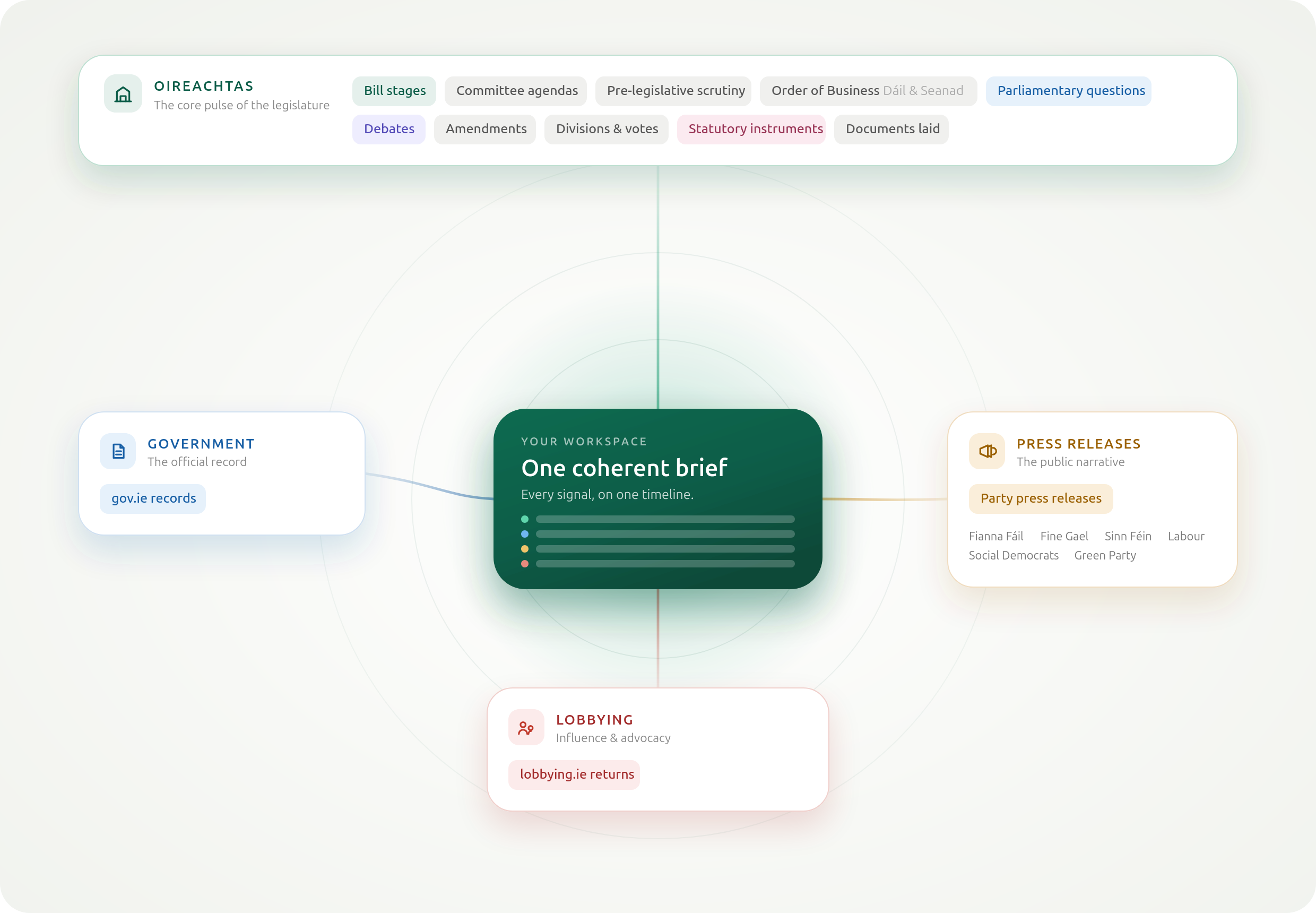
Constituent monitors the Irish public-affairs record across the Oireachtas, government, lobbying, and the parties, and surfaces what’s relevant against your brief, not in a generic feed.
You always see why something surfaced
Constituent doesn’t just push activity at you. Every signal carries its reason: the watched bill, the policy area, the keyword, or the representative you’re following that brought it onto the brief. So you can trust what lands, and tell at a glance whether it needs you.
Example: why a signal surfaced
Committee Stage debate referencing the Residential Tenancies (Amendment) Bill
Anchor a workspace on a bill or an issue, then run the brief from it
A bill workspace follows a piece of legislation through the Oireachtas automatically: stages, amendments, divisions. An issue workspace watches a policy area: the debates, questions, committee activity, and stakeholder movement around it. Either way, what follows lands on one timeline.
Discover
Find the signal that matters
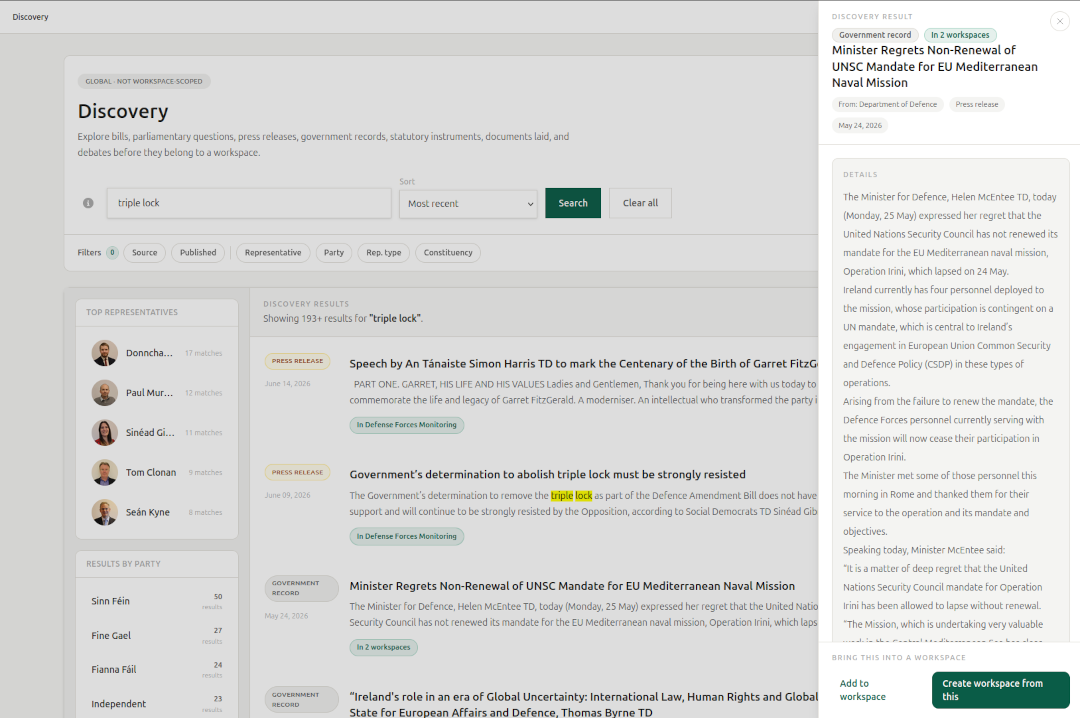
Search across Ireland's political record, open the source, and see why it belongs in your workspace before you act on it.
Actors
Know which representatives are driving the issue
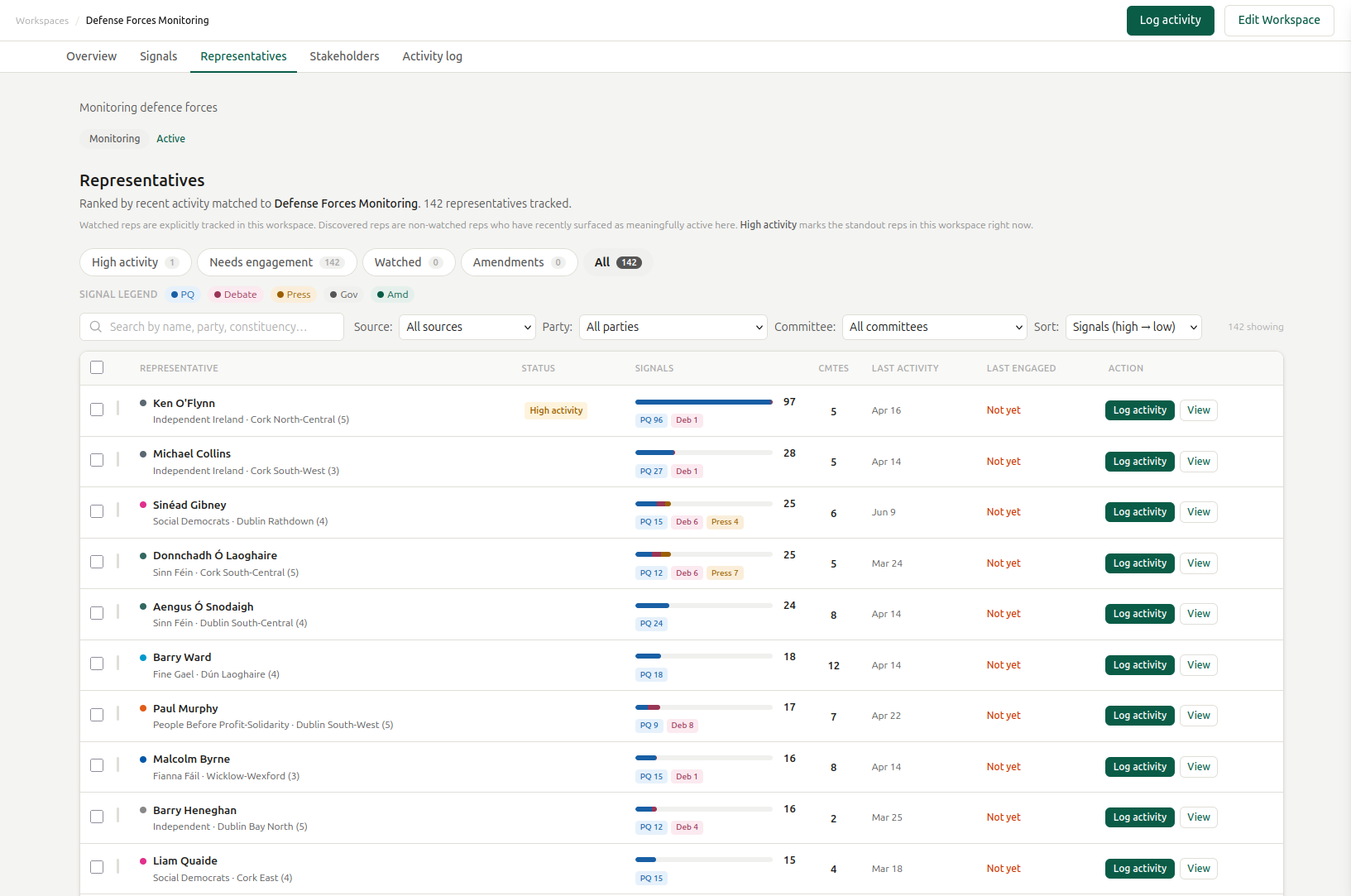
Rank representatives by recent activity, signal type, committee involvement, and whether your team has already engaged them.
Context
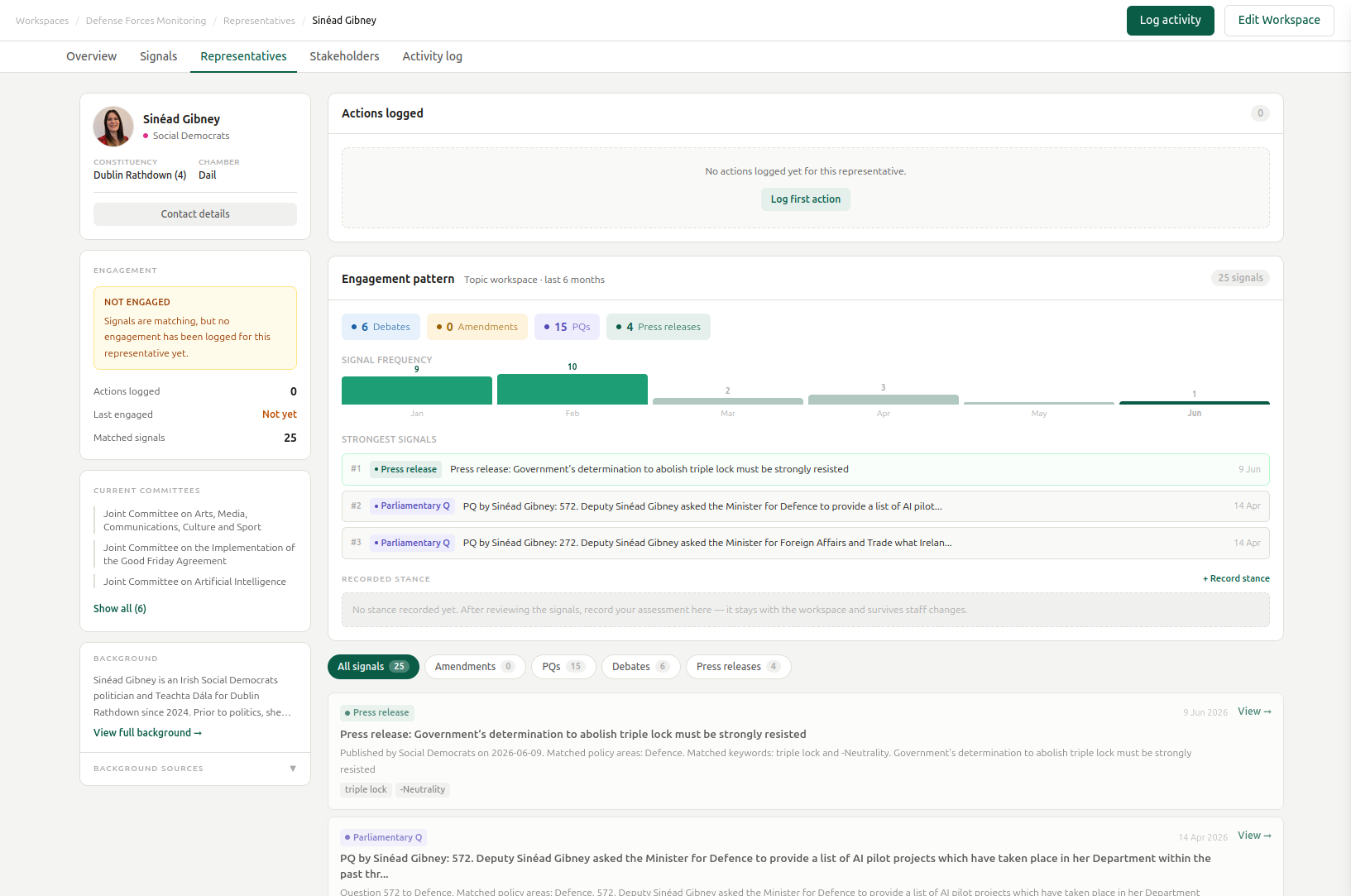
Build context before you brief
Open a representative profile inside the workspace to review their activity, committees, background, and the signals that make them relevant.
Stakeholders
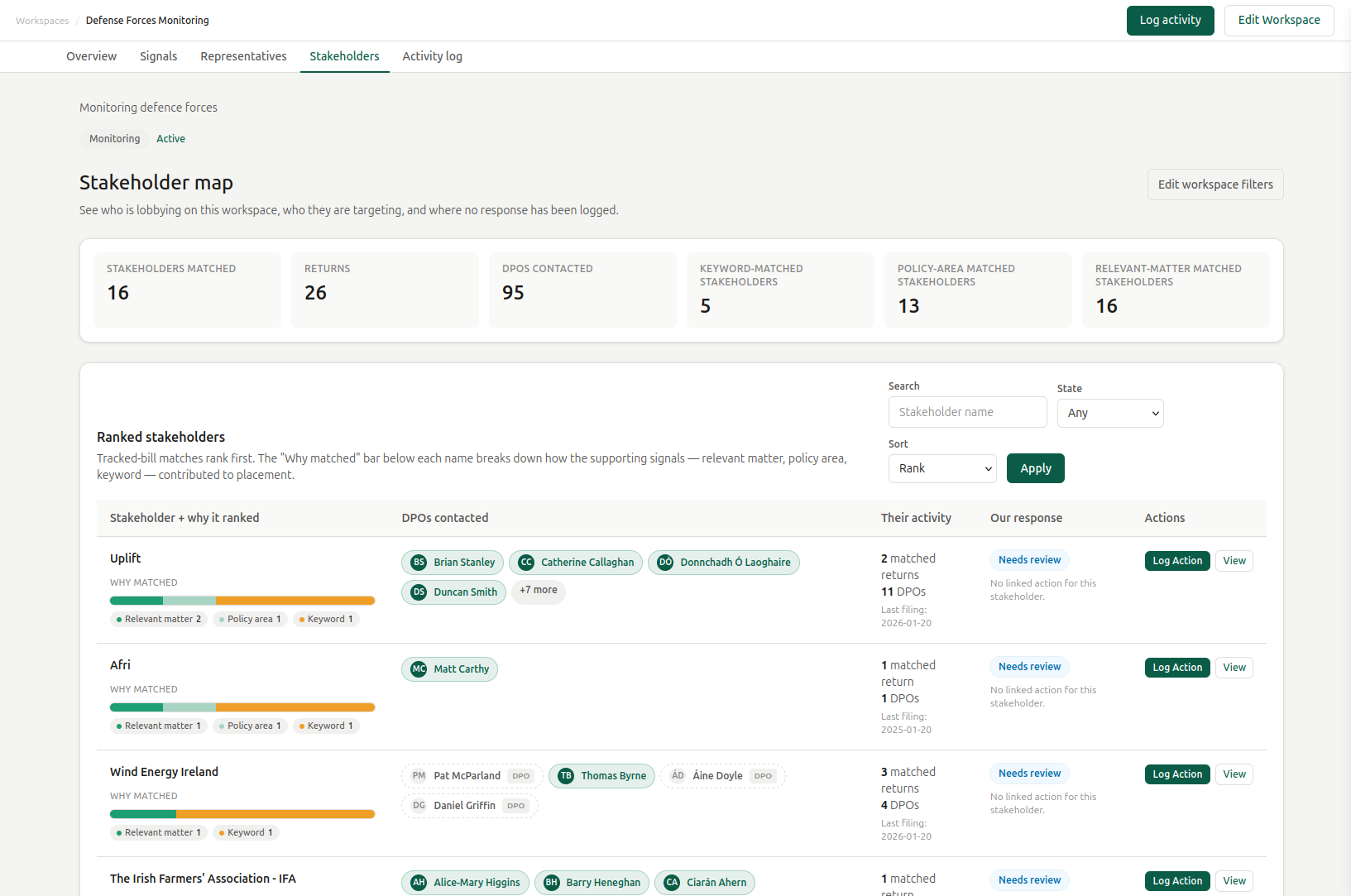
See the wider influence landscape
Lobbying returns rank who else is active on this bill, sector, or policy area: who they lobbied, on what, and when, so you can see the field you are operating in, not just the politicians in it.
Act
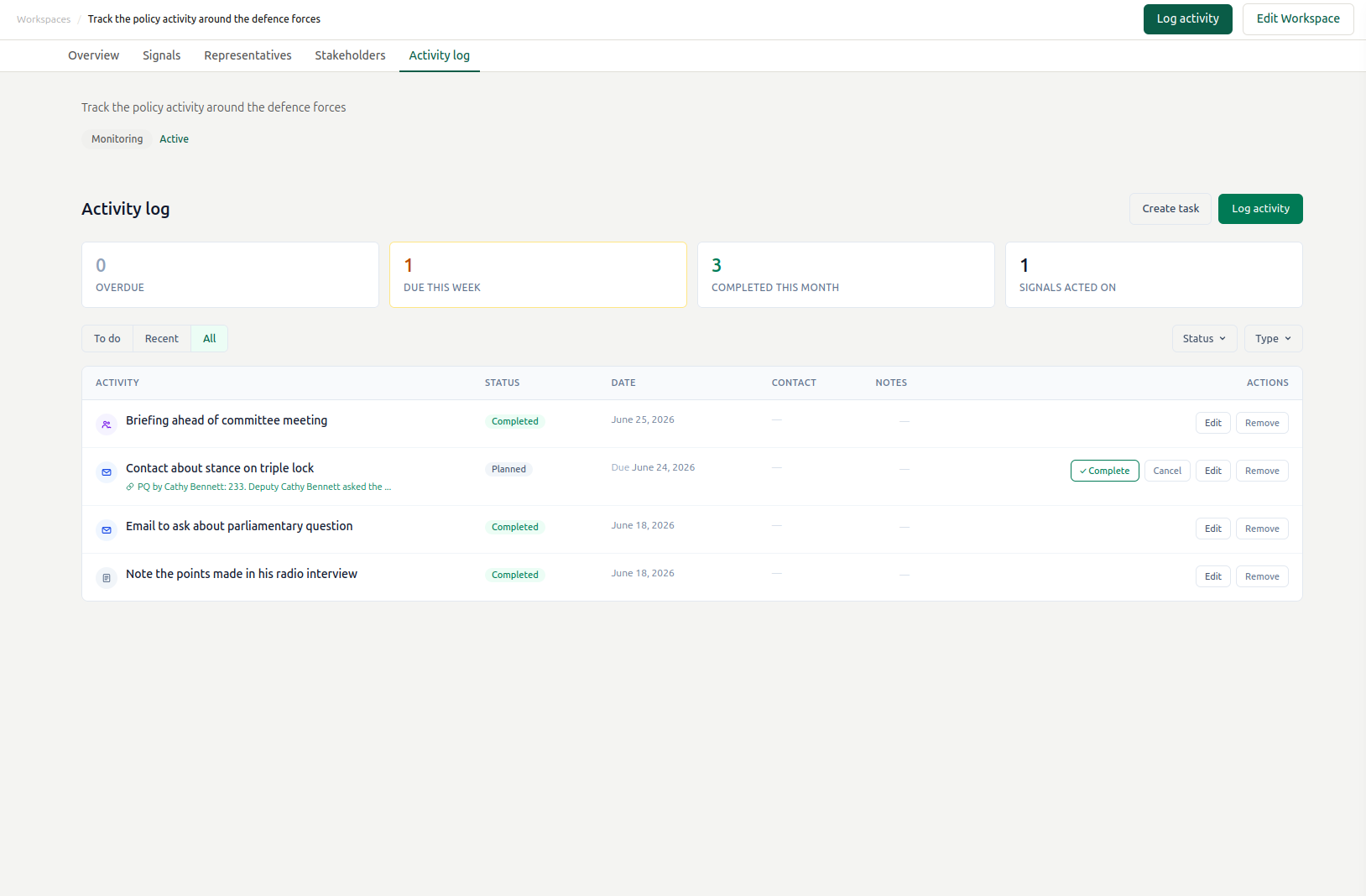
Turn intelligence into a record of action
Log meetings, calls, emails, notes, and follow-ups against the workspace so the team keeps a clear record of what happened and what was done.
Keep it separate
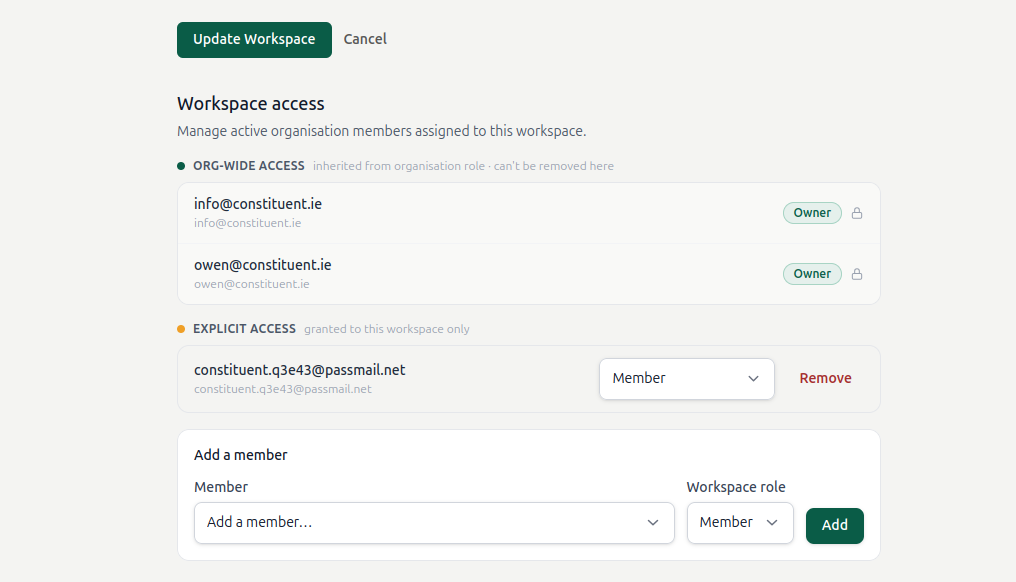
Keep each client brief confidential
Owners and admins see every workspace. Members only see the workspaces they are assigned to, so client briefs stay separated by default, without extra setup.
The hard part isn’t finding political information. It’s keeping the brief coherent.
And the obvious tools sit in the wrong place.
- News alerters tell you something happened. They have nothing to say about what to do, what you did, or what came of it.
- CRMs can record that you met someone, but they have no concept of legislation, no signal stream, and no awareness of political process.
- Project tools hold a task list, but they don’t know committee stage is in two weeks or which deadline matters for this brief.
- Spreadsheets only contain what you remembered to type in. They can’t observe the political world.
One workflow, whether you run one campaign or fifteen client briefs
Public affairs firms
Run 5–15 client engagements side by side, each in its own confidential workspace. Keep client work separated by default, cut the spreadsheet drift, and walk into every weekly or monthly update with the material already in one place.
NGOs and advocacy teams
Hold the institutional memory that usually leaves with staff turnover, find the representatives worth briefing, and keep a clear record of what changed and what you did about it.
In-house public affairs teams
Monitor the issues that affect the business, escalate the developments that matter, and, just as important, confirm with confidence when nothing material has changed.
Questions worth asking
Is my client work kept separate?
Yes, by default. Members only see the workspaces they’re assigned to; owners and admins keep org-wide access. No extra setup to keep two clients apart.
What does Constituent monitor?
The Irish public-affairs record: Oireachtas activity (bills, committees, pre-legislative scrutiny, the Order of Business, parliamentary questions, debates, amendments, divisions, statutory instruments, documents laid), gov.ie records, party press releases, and lobbying.ie returns.
Do you cover the EU or local government?
Workspace signals are Ireland-first, focused on the Oireachtas. European Parliament material is available in discovery today and is on the roadmap for workspace signals; local government is on the roadmap.
How long is the trial?
14 days. Create a workspace for a brief you’re already running and see real signals against it before you decide.
Where does the data come from?
Public, official sources: the Oireachtas, gov.ie, lobbying.ie, and party channels, surfaced against your brief with the reason it matched attached, so you can verify it.
Can I get a guided start?
Yes. If you’re running client briefs, talk to us about a pilot and we’ll set it up against your own issues.
Start with one live brief
Create a workspace for the bill or policy issue you’re already tracking. Constituent will pull together the signal, the people, the stakeholder evidence, and your team’s actions around it, so the brief stays coherent as the issue moves.
Book a demo to see data around your issues.